
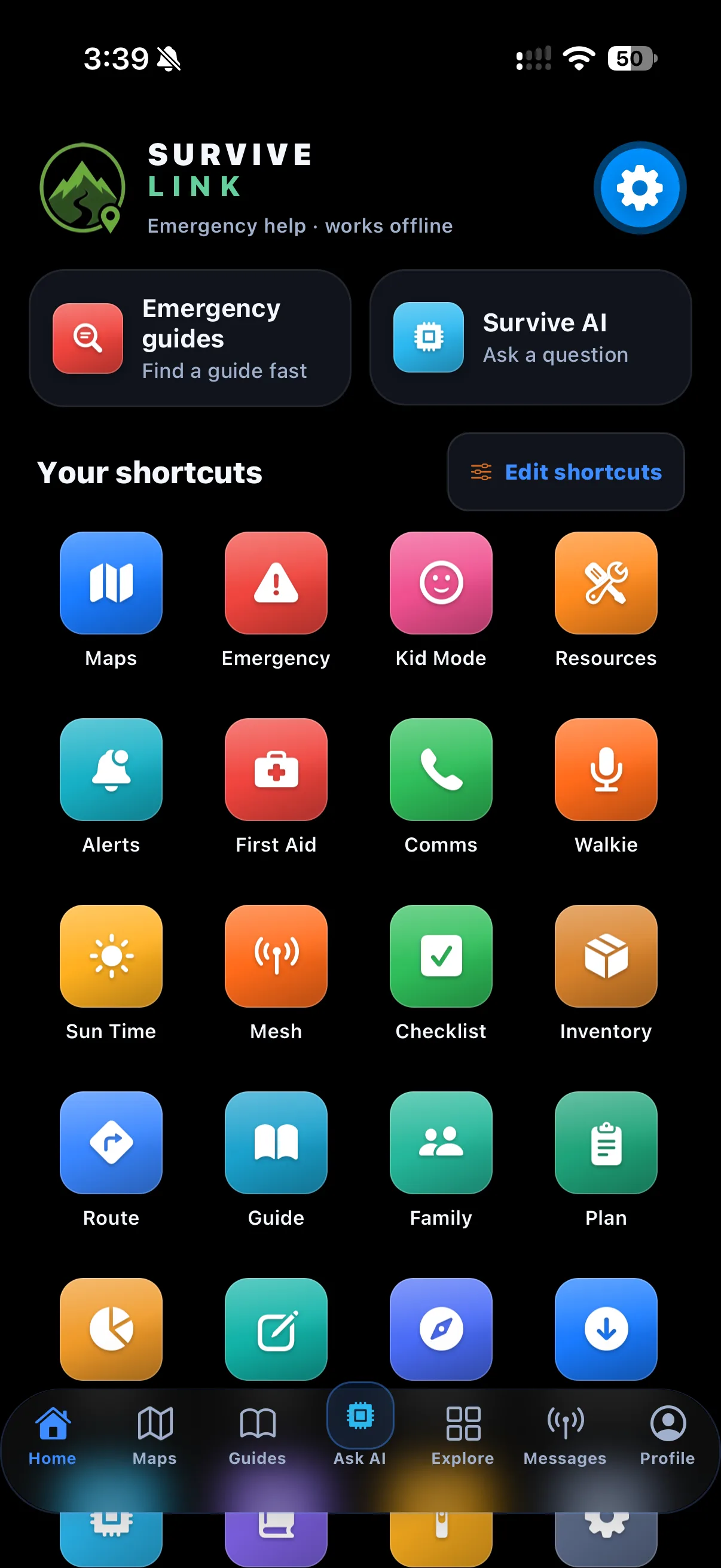
 01 / tab
Home
Home shortcuts can be reordered on the device, and every tool is included. Tools shows a local readiness snapshot.
Mobile field guide / every screen explained
Survive Link is a device-local preparedness companion with offline guide retrieval, an optional local AI model, free Online AI, My Knowledge, cached Official Alerts, and whole-state road maps. This guide explains its screens and the limits that matter: fresh online information needs connectivity, and AI can be wrong.
App map
Six tabs. One local kit.
Six visible tabs
Field AI opens from Home. It is not a seventh tab.
01 / tabHome shortcuts can be reordered on the device, and every tool is included. Tools shows a local readiness snapshot.
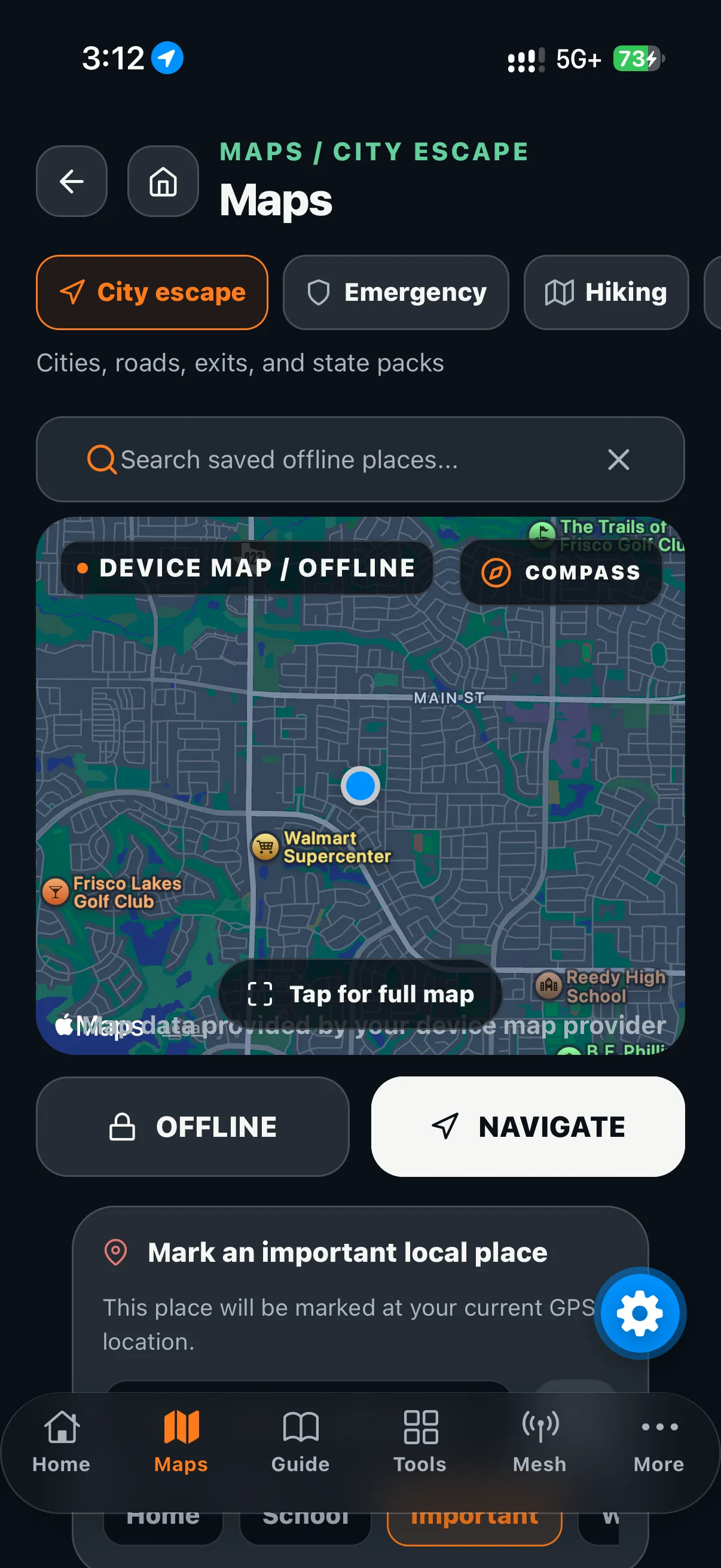 02 / tab
Download a whole-state road map before travel. Map detail and transfer estimates depend on provider limits; completed packs work offline.
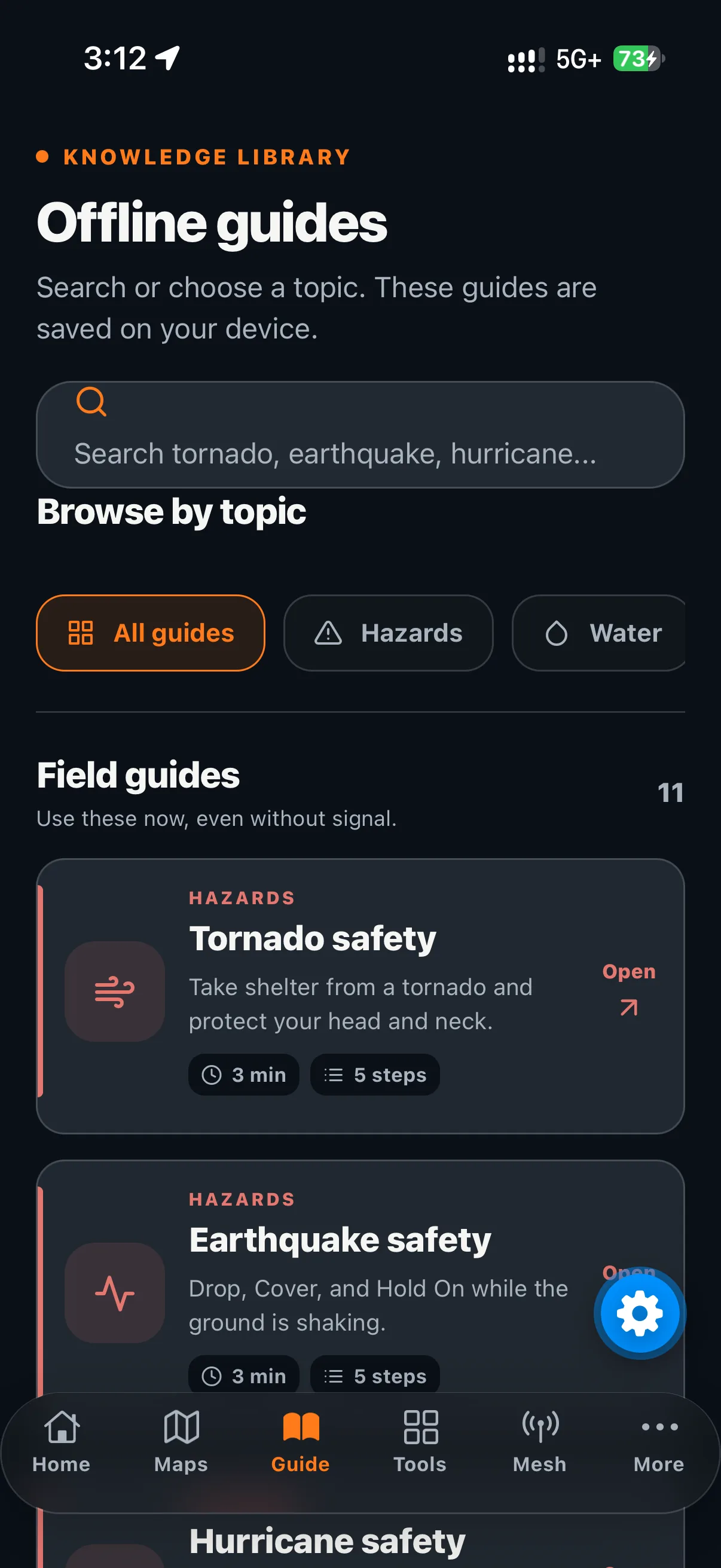 03 / tab
Guides, My Knowledge focus topics, saved answers, and downloaded knowledge packs stay on the phone. A connection is needed to download a pack.
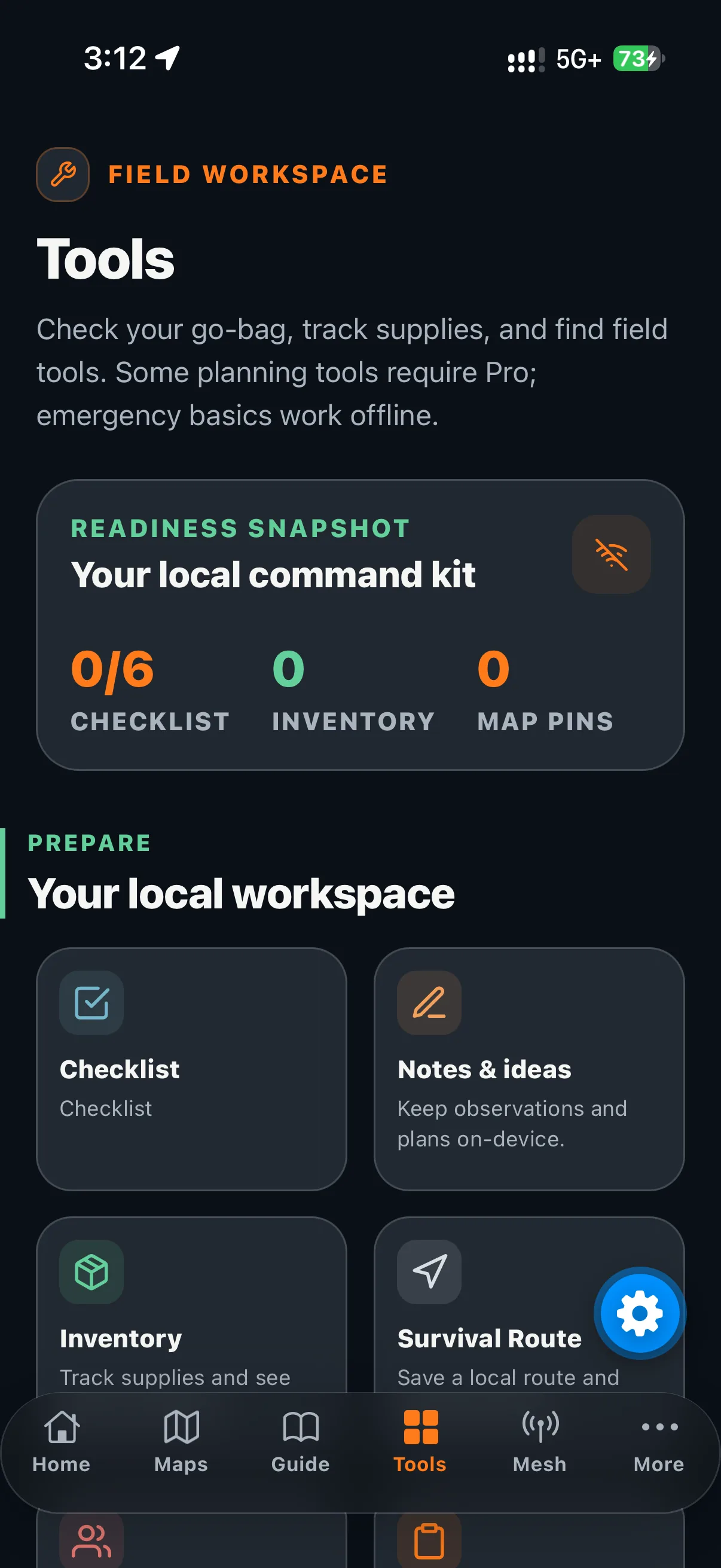 04 / tab
The editable checklist, Notes & ideas, Family Circle local contacts, readiness snapshot, emergency guide, Kid Mode, inventory, routes, ration planning, guides, and family plan are included. Sharing with another phone is optional and local.
 05 / tab
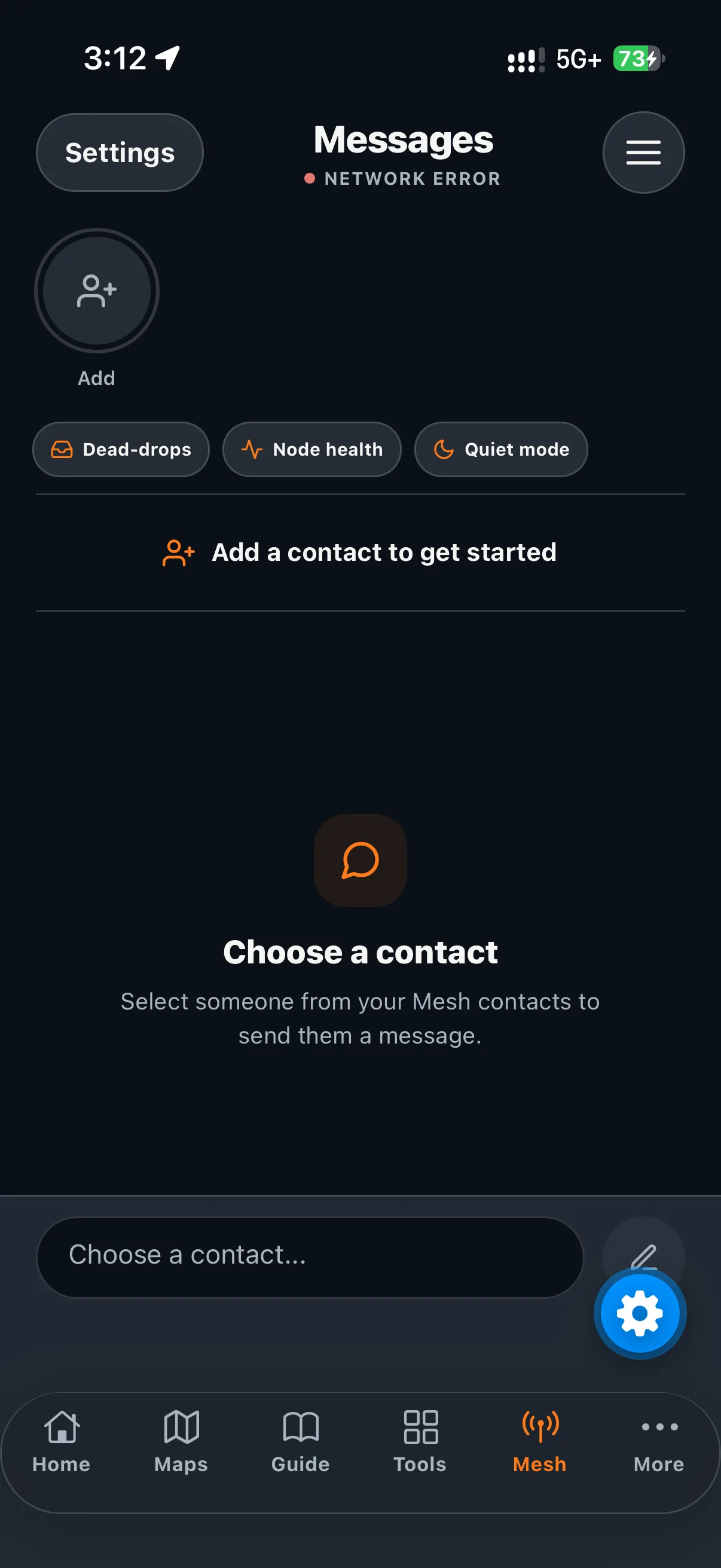
Manage a local Mesh identity and contacts, share or scan contact QRs, and try sending signed messages between nearby Survive Link phones over Bluetooth while both apps are open. This path needs a supported native build, Bluetooth permission, and nearby compatible phones; delivery is not guaranteed. Node Health reports only phone activity observed by this device.
 06 / tab
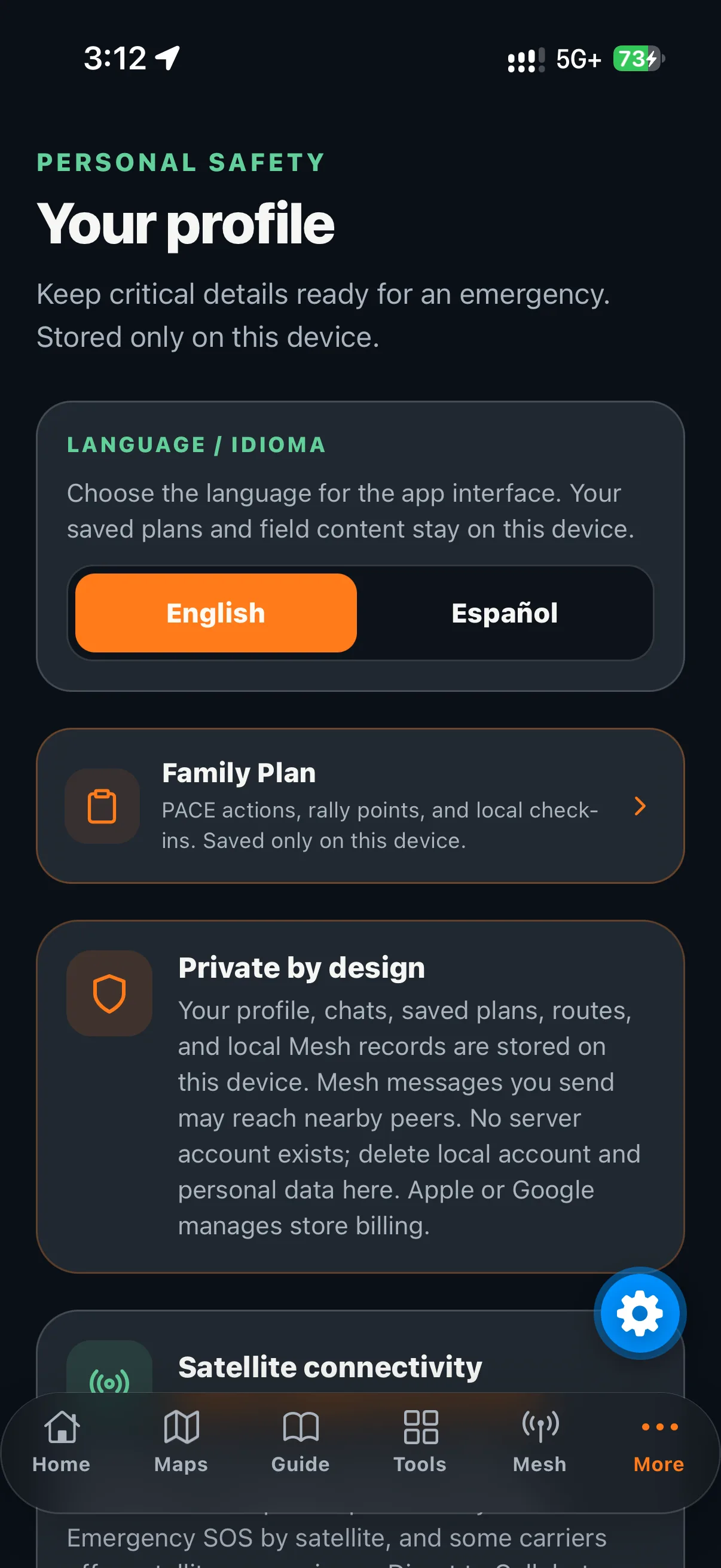
Use settings, notifications, privacy information, Sun Time, advanced Compass, Morse receiving, the Bible reader, and Downloads. Bible text packages can be downloaded when connected, then stay on the device for offline reading.
Free app / coming soon
App features are included. Optional gear in the Amazon store is not required to use the app.
Home / Customize
Home > Customize lists every Home shortcut, including Kid Mode. Enable or disable shortcuts, reorder them, or reset the layout. The choice is stored locally on this device; it does not sync to the website or another phone.
Enable, disable, reorder, and reset do not require an account or a connection.
Free. Download a whole-state road map before travel; available detail and transfer estimates depend on provider limits.
The guide, procedures, and responder handoff are free. SOS opens your phone dialer with the emergency number saved in your profile (911 in the U.S.); you decide whether to place the call.
Free. Child-friendly emergency pictures read three steps aloud and offer a local check-in and reassurance. Choose a steady light or repeating SOS flashlight on a supported phone; it does not summon help.
The editable local checklist, Notes & ideas, Family Circle contacts, inventory, routes, ration planning, and Family Plan draft are free.
See official public alerts together. The latest received alerts stay readable offline; fresh updates need a connection. The feed is supplemental and best-effort.
Choose focus topics, save answers for offline reference, and download separate knowledge packs that use phone storage, not app install space.
Emergency and first-aid guides are free; the available procedure depends on the content included or downloaded.
Use local communication routes to reach saved contacts, nearby phones, and compatible external radios. Phone-to-phone Bluetooth can attempt signed-message delivery on supported native builds, but delivery is not guaranteed; this is separate from text sent by external LoRa radio.
Free. Hold to talk in a private 1:1 or shared channel (up to five people in total); release to listen. It works over active cellular data or Wi-Fi. Offline voice is planned but not currently available; this is not Bluetooth/Phone-to-phone Bluetooth Mesh.
Free. Estimate time and direction with the available sun methods.
Use Bluetooth messaging while the app is open, local contacts/contact QRs, and compatible phone-to-phone Bluetooth Mesh. Native phones and permissions are required; Node Health cannot guarantee delivery.
Send and receive Morse light signals using the camera torch when permission and device support allow. The app cannot invoke an emergency SOS, call emergency services, or guarantee that a light signal is seen.
Free. Mark items, add custom items with details/categories, or remove them; changes stay local.
Free. Record supplies, quantities, food, water, and fuel.
Free. Save and review a local route or breadcrumb trail; offline road guidance is not currently verified.
Local family contacts and invitation QR sharing are free. Scanning requires camera access on a supported phone. No cloud sync or guaranteed delivery.
Fill PACE and rally points on this phone, then share a local snapshot by QR or on-device merge over BLE/mesh. The owner can mark a phone revoked, but the change takes effect only when both phones meet over BLE/mesh.
Free. Estimate food, water, and supplies for the plan you are preparing.
Free. Save and remove local notes and ideas offline.
Free. Readings still require a supported phone sensor; calibration and nearby metal affect accuracy. The website cannot access phone sensors.
Bundled offline guides work on the phone. An optional one-time model download adds on-device AI; free Online AI needs a connection. Your Grok (xAI), OpenAI, or Claude key goes directly to that provider and uses its billing.
Free. Manage whole-state road maps, knowledge packs, guide content, Bible editions, and the optional local model. Downloads need a connection and stay on the device.
Free. Download KJV English or RV1909 Spanish while connected, then read offline on this device.
Screen by screen
Download a road-map pack covering an entire state while connected, then open it without service. Search downloaded places, use location when permission allows, and manage map packs in Downloads.
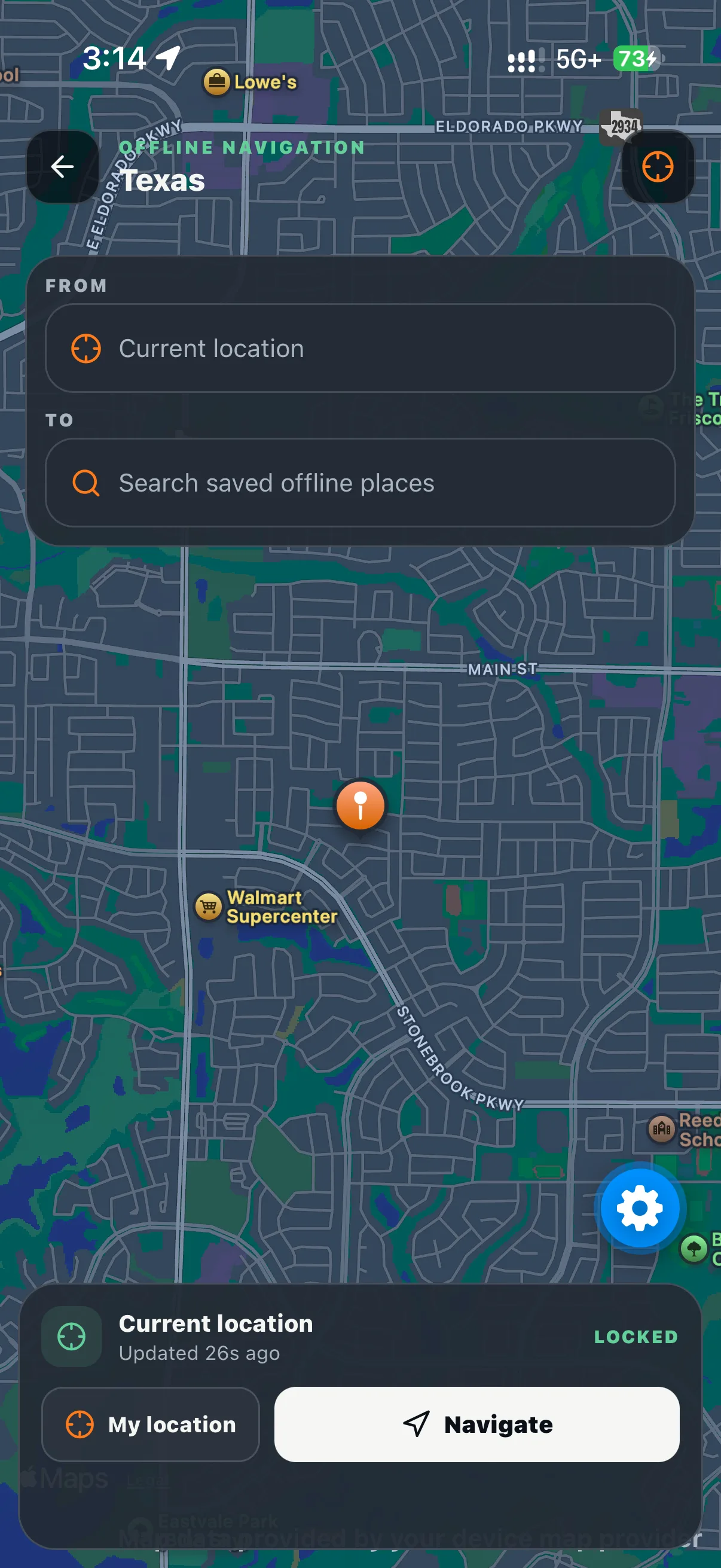
Limit: Available map detail and transfer estimates depend on provider limits. Live place lookup and routing need a connection; offline road routing and turn-by-turn guidance are not currently verified.
Browse included guides, choose focus topics, save useful answers for offline reference, and download knowledge packs as needed.
Limit: Saved answers and downloaded packs stay on the phone and use its storage; they are separate from the app install and do not retrain the AI.
The Tools screen shows a readiness snapshot before you open Checklist, Notes & ideas, Inventory, Survival route, Family Circle, Family Plan, Ration planner, Emergency guide, or Bible. Each workspace stores its own local planning context.
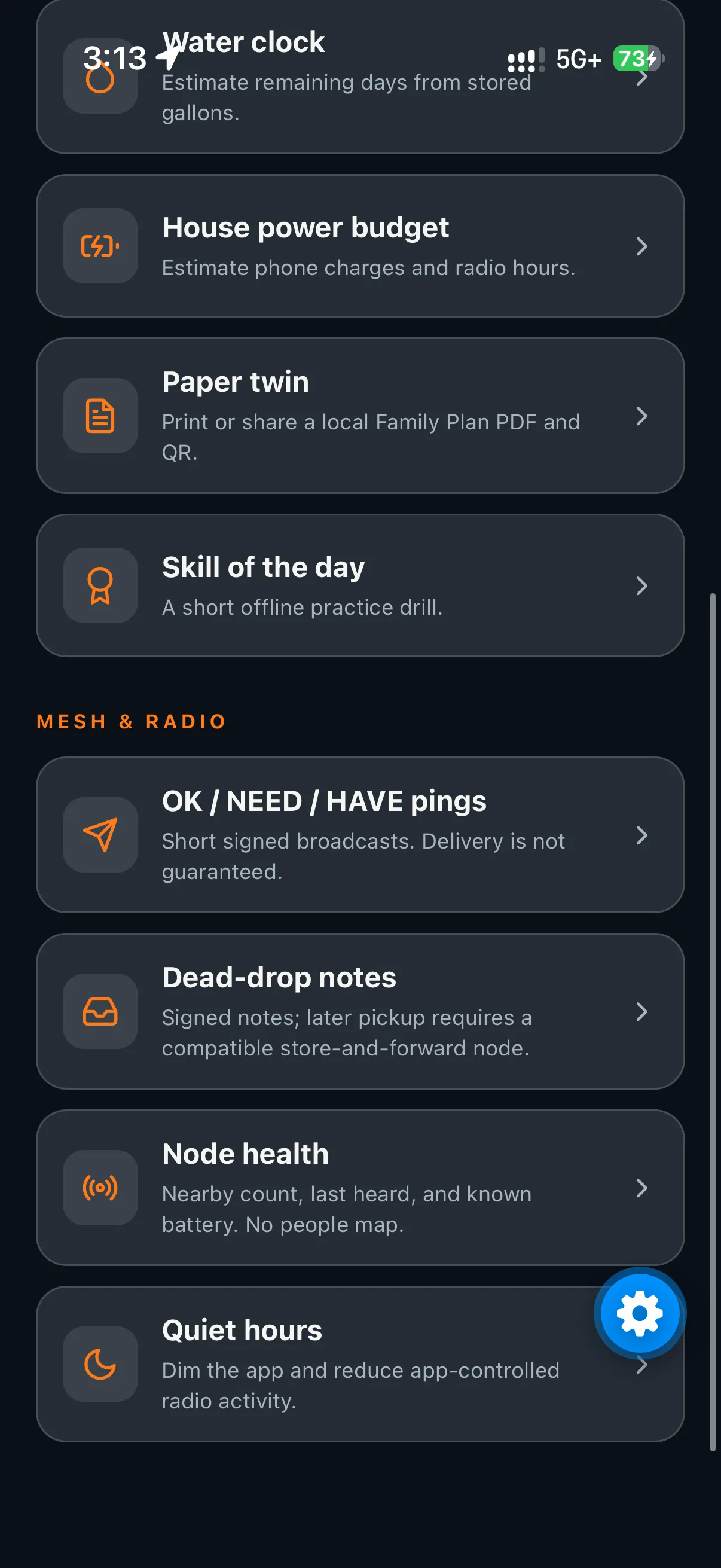
Limit: The Family Plan is stored on this phone. Sharing uses an invite QR or on-device merge over the same mesh / BLE; there is no cloud sync. Profile also offers an optional device-local account.
Bundled guide retrieval works on the phone. With the optional model installed, Survive AI can use a small local language model (LLM) that runs right on your phone without a signal. When connected, free Online AI is available; you can also use your own Grok (xAI), OpenAI, or Claude key, sent directly to the selected provider.
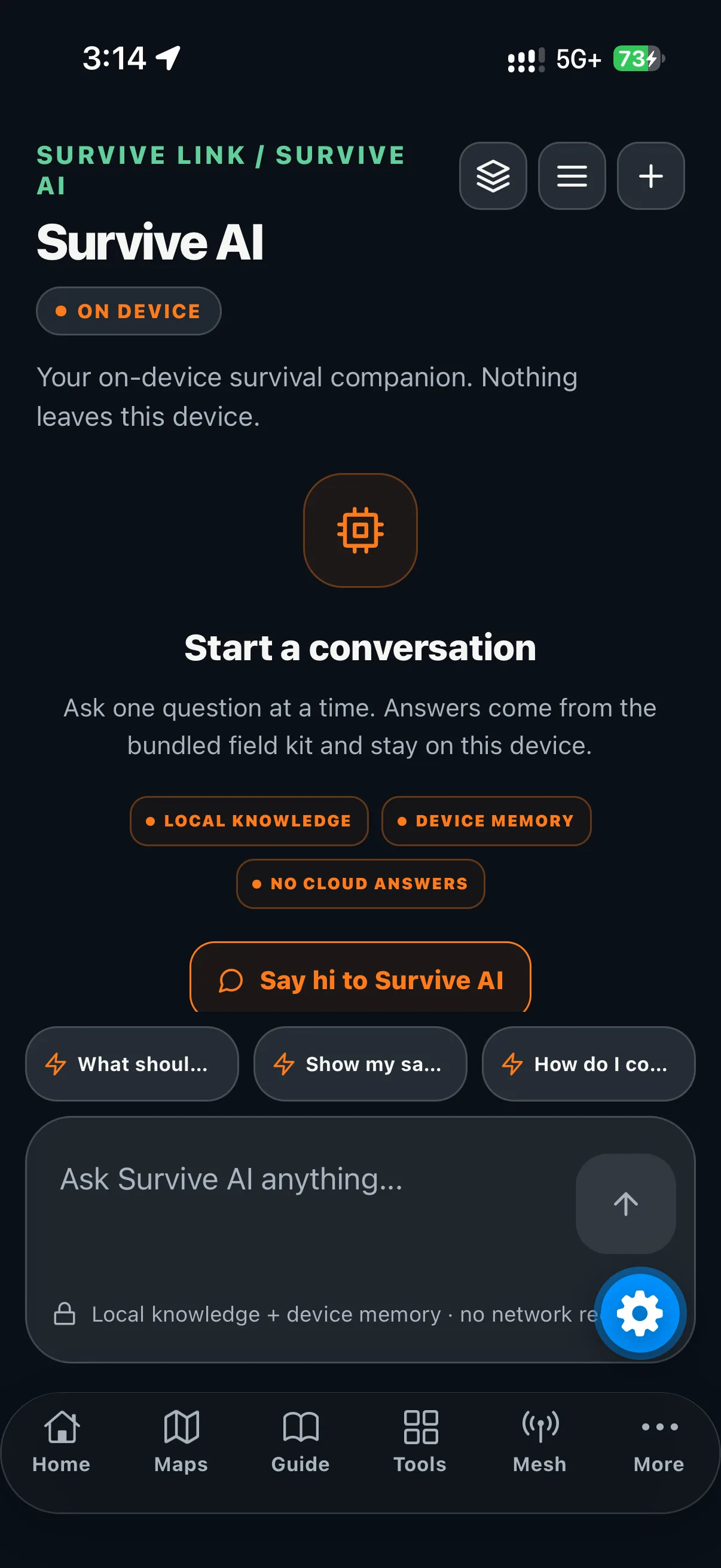
Limit: The model is a one-time in-app download of about 1 GB, not part of the App Store install; Wi‑Fi is recommended and no extra app is required. AI can be wrong; verify important guidance. The public website cannot access app chats or plans.
Create or edit a local identity, manage contacts, share a contact QR, scan another QR, and try sending signed messages between nearby Survive Link phones over Bluetooth while both apps are open. A supported native build and Bluetooth permission are required; this path is separate from radio text in the Radio screen.
Limit: A sent or relayed packet is not confirmation that the recipient received it and is never a guarantee of delivery. Bluetooth Mesh range varies with peer distance, devices, and surroundings.
Open the communication options to reach local contacts, Nearby phones, and a compatible external radio. The phone-to-phone Bluetooth path is separate from text sent through external LoRa hardware.
Limit: SOS opens the phone dialer with the emergency number saved in your profile (911 in the U.S.); you decide whether to place the call. The app does not call automatically or trigger device SOS. Radio or network delivery is never guaranteed.
Review official public alerts together. The most recently received alerts remain readable offline; new alerts and updates need a connection and may need location.
Limit: The feed is cached, supplemental, and best-effort. Check timestamps; it is independent of phone and carrier broadcasts and is not an agency-endorsed alert system.
The emergency guide, full procedures, and responder handoff are free. The handoff helps present your information; actions needing a call open the phone dialer for you to place it.
Limit: Use appropriate emergency services and professional advice when available. The app is a preparation aid, not a replacement for responders.
Check the notifications inbox and review notification permission status. Use the settings to decide which local app events and refreshed feeds should be surfaced on the device.
Limit: Phone OS permission controls still apply. A disabled permission cannot be bypassed by the app.
Choose shadow stick, sky photo plus needle, or needle only. Each method gives a different way to estimate sun time and direction when you can work with the sky and a simple object.
Limit: Results are practical estimates, not a precision clock or a replacement for a verified navigation instrument.
Open Compass for a live heading when the device exposes the required sensor. Follow the calibration prompt when shown and keep magnetic interference in mind.
Limit: The app cannot create a compass signal a device does not have. Sensor quality, calibration, permissions, and nearby metal can affect the reading.
Encode text to Morse, decode Morse, or use the camera read option when supported. When camera permission is granted and the device supports it, the app can use the camera torch to send the light pattern.
Limit: The app cannot invoke an emergency SOS or guarantee that a light signal is seen. Radio and network delivery are not guaranteed.
The reader and its King James Version in English and Reina-Valera 1909 in Spanish editions are free. Download while connected, then read offline on this device.
Limit: Downloaded text stays local. The app does not send your reading activity to this website.
The Downloads screen is free and includes whole-state road maps, knowledge packs, field content, Bible editions, and the optional local model. Download packages while connected before you need them offline.
Limit: Knowledge packs use phone storage and stay separate from the app install. Downloads, live lookup, routing, alert refresh, and some content updates require connectivity.
Change language, switch between online and offline mode, edit the emergency profile, use the optional device-local account, and use the guide update-check control.
Limit: Every current feature is included. The mobile app is coming soon.
New field features / eleven additions
A focused set of additions for planning, check-ins, and local preparedness. Read each compatibility note before relying on native phone-to-phone Bluetooth behavior.
Save an expiring signed note locally and broadcast a short version to compatible peers.
Compatibility: This app does not connect to external Store-and-Forward servers or request delayed delivery. Do not rely on delayed pickup.
Send a compact check-in about status, needs, or supplies without composing a full message.
Compatibility: Requires supported native Bluetooth/Bluetooth Mesh and the app open. Delivery depends on compatible peers and nearby-phone conditions.
Keep essential emergency details easy to reference from the phone.
Compatibility: The emergency profile view works in the app. A lock screen widget is not verified.
Estimate household power use against the batteries and charging capacity you enter.
Compatibility: A planning estimate only; actual runtime varies with loads, battery condition, and use.
Track stored water and household use to estimate how long your supply may last.
Compatibility: An estimate based on the amounts you enter, not a measurement of your actual supply.
Manually turn on a low-light mode that reduces app-controlled scanning and transmissions.
Compatibility: Native brightness control depends on the phone. There is no automatic schedule; Quiet Mode controls Survive Link only and does not switch off Bluetooth or other devices and apps.
 07
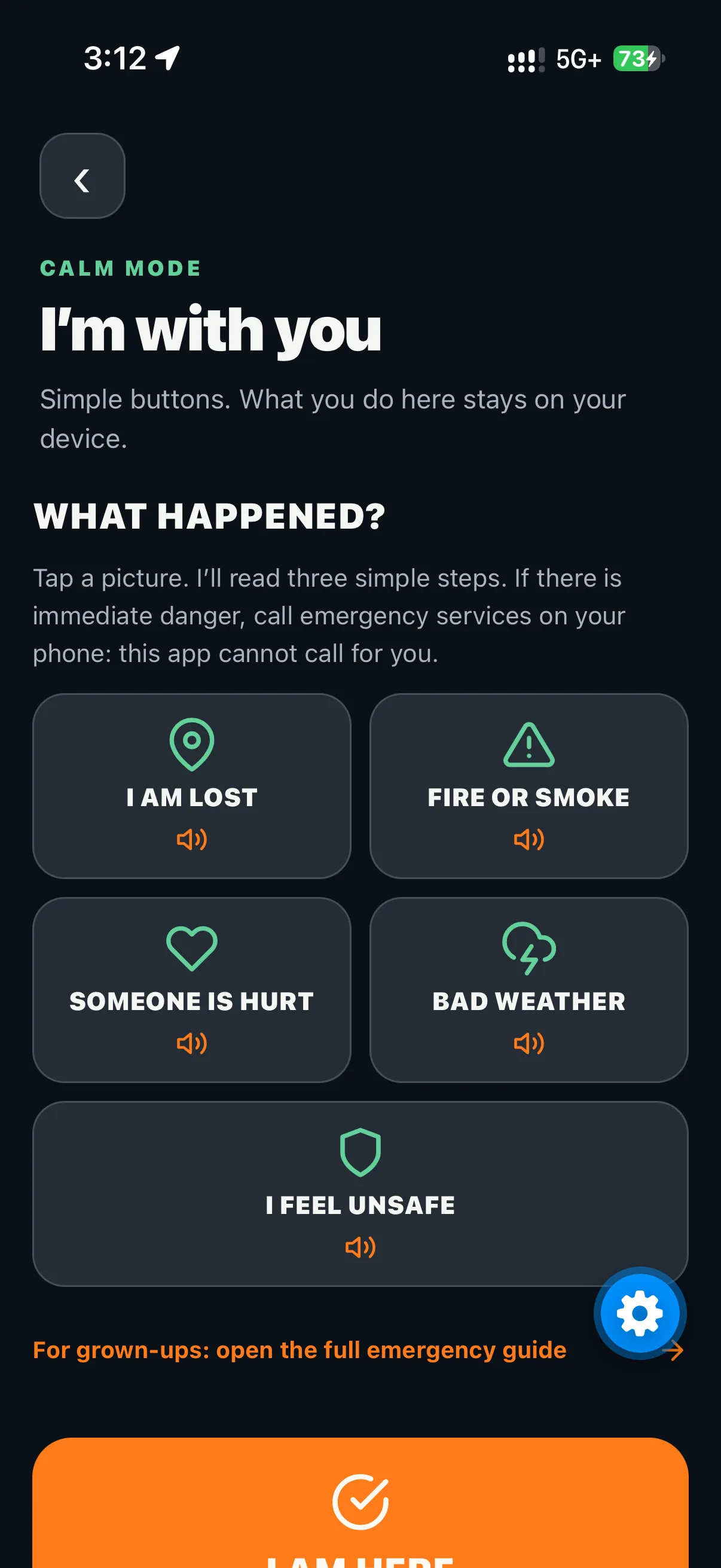
Child-friendly emergency pictures show three simple steps and read them aloud. Kids can make a local check-in, see reassurance, and choose a steady or repeating SOS flashlight.
Compatibility: Speech needs an installed device voice and audible volume. The light needs camera permission and a supported phone. SOS is only a visual signal; it does not call for help or confirm rescue.
Export a printable PDF and QR snapshot of saved family-plan details for offline handoff.
Compatibility: On-device export succeeds only if the full saved plan fits a scannable QR and one PDF page; shorten long fields if needed.
Review nearby Survive Link phone activity as a network-health aid without turning people into map pins.
Compatibility: This free screen reports only Survive Link phones observed by this device; it does not estimate hidden participants or track people.
Practice one short preparedness skill at a time, with a prompt you can revisit later.
Compatibility: Offline availability depends on the skill content being included or saved on the device.
Included free in the app. Hold to transmit and release to listen in a private 1:1 channel or a shared channel for up to five people in total. Save private contacts on the device or share a secret invite. The app does not record or store audio.
Compatibility: Works over active cellular data or Wi-Fi only. Offline voice is planned but not currently available; it does not work over Bluetooth/Phone-to-phone Bluetooth Mesh. Devices can use different networks and do not need to be nearby. A native development build is required on phones; Expo Go cannot run WebRTC audio. TURN is not configured yet, so restrictive network paths may fail. No incoming alerts.
Read this before relying on it
The core kit is intentionally local, but local is not the same as omniscient. Know which parts are saved, which parts need a connection, and which parts depend on a phone, permission, radio, or sensor.
Core bundled and saved content, local planning tools, saved answers, and offline AI can work without internet. Live place lookup, Online AI, live routing, and fresh alerts need connectivity; some also need location.
Offline road routing and turn-by-turn guidance are not currently verified. Use saved context and a real-world backup; do not rely on an unverified offline road promise.
The alert feed is cached, supplemental, and best-effort. Previously received alerts may be out of date; phone and carrier broadcasts are separate.
Compass sensors, camera/torch, QR scanning, Nearby phones Bluetooth transport, and external radio connections require supported hardware, permissions, and sometimes a native build. This website documents those features; it cannot operate them.
Family Plan and invitation data stay on-device. The owner phone can create invite QRs; sharing uses local snapshots, not cloud sync, and QR copies are not a guaranteed global cap on unique phones.
The Nearby phones path requires a compatible native build and phones. External radio messaging requires compatible LoRa hardware. Sending or relaying a packet does not prove receipt or guarantee delivery.
SOS opens the phone dialer with the emergency number saved in your profile (911 in the U.S.); you choose whether to call. The app does not call automatically or trigger device SOS. Morse can use the camera torch when camera permission is granted and the device supports it. Radio and network delivery are never guaranteed.
The optional local LLM is a one-time in-app download of about 1 GB, not bundled in the App Store install. Download once over Wi‑Fi; no extra app is required. Bundled retrieval and offline answers remain available without it.
Every current Survive Link feature is included. The mobile app is coming soon.
A profile guide-update check only records a local check time. It does not download updates, and the public website never reads or changes app data.
Prepare the phone while you have time, signal, power, and judgment. Then use the local parts for what they actually do.
Free / Available downloads
All app packs and tools are free. Download while connected and keep content on the device. Active search and routing may need connectivity; offline turn-by-turn road routing is not promised.
Planned later / broad categories
More regions, more editions, and new specialist packs, with no dates or promises.
Who it helps
A local family plan, flexible contact profiles, checklists, inventory, and local check-ins. Everything is stored on the phone; sharing is optional and local.
Emergency pictures with three simple steps read aloud, breathing exercises, a local check-in with reassurance, and a steady or repeating SOS flashlight. Access is parent-gated, and kids can reach trusted adult contacts a grown-up sets up. It needs an installed device voice and camera permission for the light. It is not a babysitter, it does not call emergency services, and SOS is only a visual signal.
Customizable Home shortcuts, downloaded guides, an on-device emergency profile, and offline tools. A family member can help set it up; all mobile tools are included.
Downloaded regional maps, breadcrumb review, compass, Sun Time, Morse flashlight, and optional radio mesh with compatible hardware. Maps and routing need packs downloaded before you leave.
Inventory, rations, power budget, water clock, field guides, and optional local Field AI. Estimates depend on the amounts you enter.
Walkie-talkie needs internet and a native build; radio mesh needs compatible hardware; there is no offline voice. Downloaded maps and routing require packs. All mobile features are included; optional physical gear is sold separately.
Detailed guide / feature by feature
All mobile features are included at no charge.
Optional analytics — only enabled if you allow them; no behavioral advertising.
Privacy details